What Is an Executive Summary Slide?
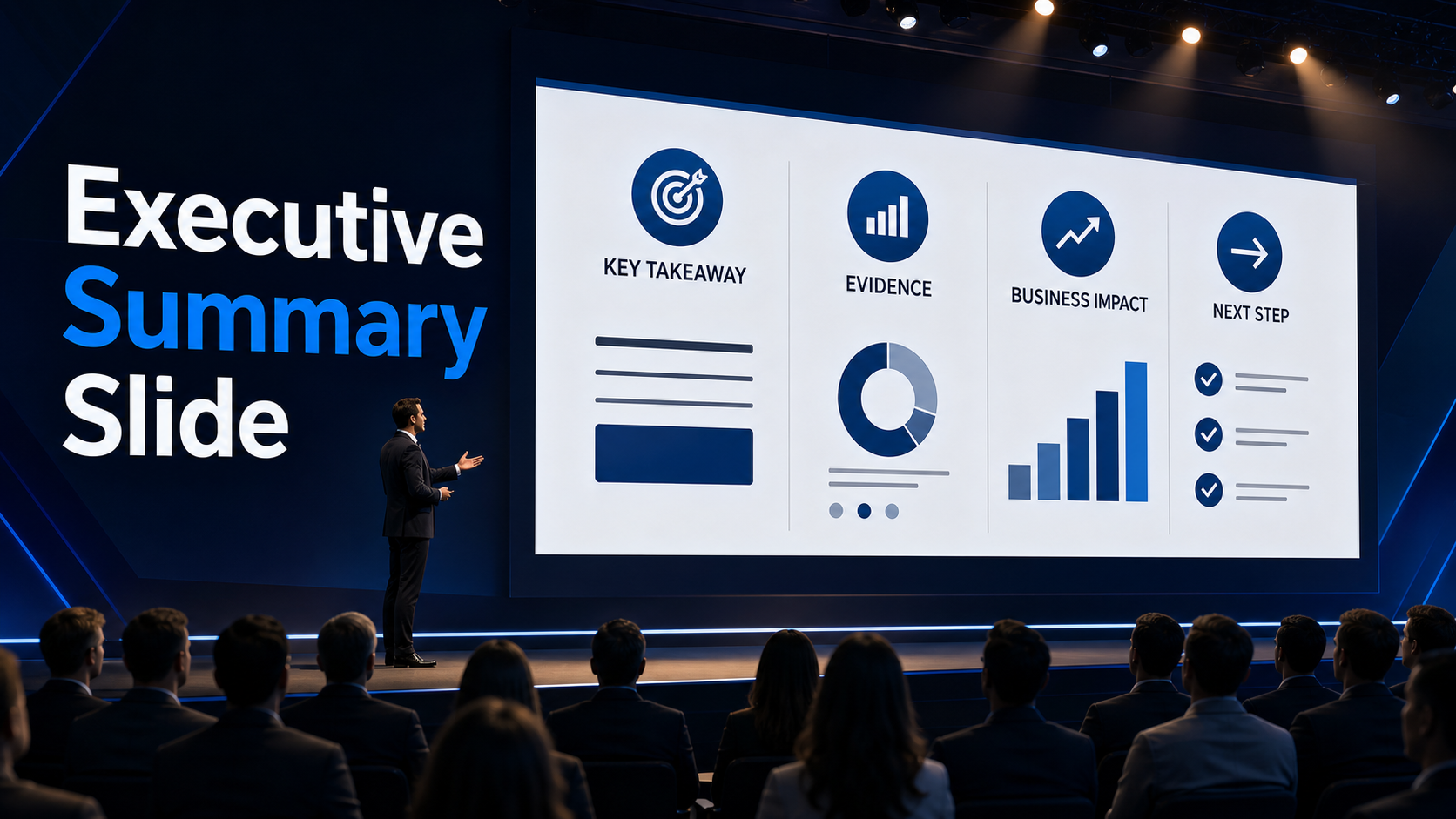
An executive summary slide is a concise business presentation slide that gives senior stakeholders the key message, supporting evidence, business impact, and recommended next step at a glance. It is designed for decision-makers who need to understand the point of a presentation quickly before reviewing the details.
In executive meetings, board updates, sales discussions, consulting reports, and strategy reviews, audiences often do not have time to search through every slide before forming an initial view. A strong executive summary slide solves that problem by putting the most important information at the front.
It is not a miniature version of the full deck. Instead, it answers the question executives usually care about first: what matters, why does it matter, and what should happen next?
Executive Summary Slide Meaning
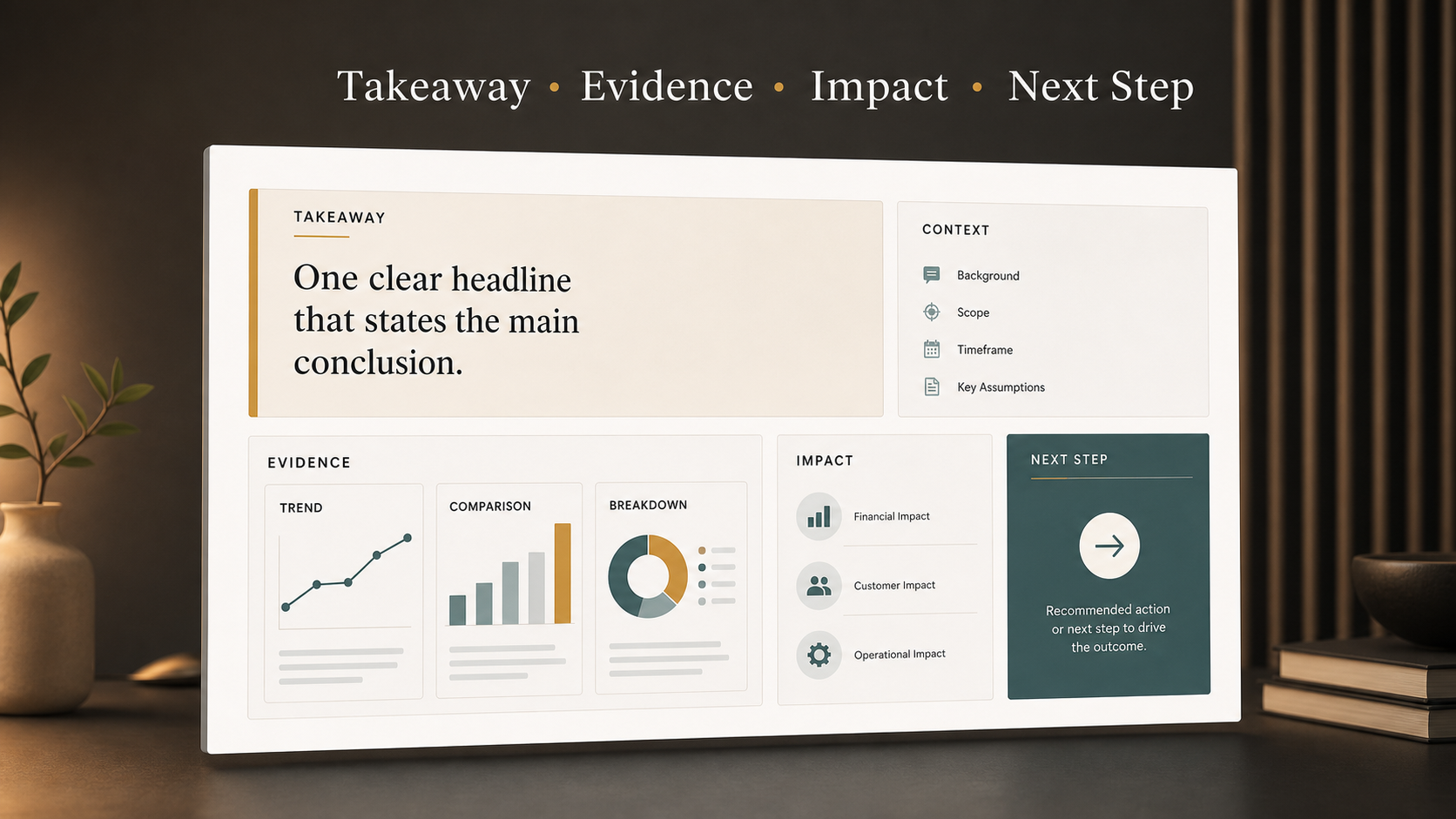
The executive summary meaning in a presentation context is straightforward: it is the decision-ready overview of a larger argument. It summarizes the central message of the presentation, explains the evidence behind it, and points the audience toward a conclusion or action.
An executive summary slide usually appears near the beginning of a deck, often after the title slide or agenda. In some presentations, it may appear after a brief context slide if the audience needs background before seeing the recommendation.
A useful executive summary slide typically answers four questions:
- What is the main takeaway?
- What evidence supports it?
- What is the business implication?
- What decision or next step is needed?
This makes it different from a general introduction. An introduction sets up the topic. An executive summary slide gives the audience the practical meaning of the presentation before the full explanation begins.
Why Executive Summary Slides Matter
Executive audiences review information under pressure. They may be comparing priorities, evaluating risks, approving budgets, or deciding whether to move forward with a recommendation. A well-designed executive summary slide respects that environment.
First, it saves time. Instead of making the audience reconstruct the logic slide by slide, it gives them a clear starting point. Once the main message is visible, the rest of the presentation becomes easier to follow.
Second, it improves alignment. Different stakeholders may care about different parts of the same presentation. Finance may focus on return, sales may focus on pipeline impact, and leadership may focus on strategic risk. The executive summary slide creates a shared baseline before those perspectives diverge.
Third, it helps the meeting move faster. When the key message and recommendation are clear early, the discussion can focus on judgment, trade-offs, and action rather than basic interpretation.
What an Executive Summary Slide Should Include
A strong executive summary slide is selective. It should not include every detail from the deck. It should include only the information needed for the audience to understand the issue and evaluate the recommendation.
The first element is the main takeaway. This is the headline or lead statement that explains the central point of the presentation. It should be specific, not generic. “Customer churn is rising in enterprise accounts due to onboarding delays” is more useful than “Churn trends are changing.”
The second element is context. This explains the situation, project, market, customer issue, or decision being discussed. Without context, even accurate data can feel disconnected.
The third element is key evidence. This may include two or three metrics, findings, insights, or proof points. The purpose is not to show all available data. The purpose is to make the summary credible.
The fourth element is business impact. This explains why the message matters in terms of revenue, cost, growth, risk, customer experience, efficiency, or strategic positioning.
The final element is the recommendation or next step. Executive audiences usually want to know what action is being proposed, what decision is required, or what should happen after the presentation.
Executive Summary Slide vs. Executive Summary Presentation
An executive summary presentation is broader than a single executive summary slide. It may be a short deck created specifically for leaders, often summarizing a larger report, analysis, or strategy proposal.
An executive summary slide, by contrast, is one slide within a larger deck. It gives a compact view of the presentation’s argument but does not replace the full explanation.
| Presentation Element | Executive Summary Slide | Executive Summary Presentation |
| Scope | One slide | Short deck or section |
| Purpose | Summarize the core message | Present a condensed argument |
| Detail Level | Very selective | Moderate detail |
| Typical Use | Opening of a business deck | Leadership briefing or report summary |
| Main Output | Decision-ready snapshot | Executive-ready narrative |
This distinction matters because many teams try to make one executive summary slide do too much. If the topic requires multiple scenarios, detailed analysis, or several recommendations, it may need an executive summary presentation instead of one crowded slide.
Common Mistakes to Avoid
The most common mistake is treating the executive summary slide as a compressed version of the entire deck. This often creates a dense slide with too much text, too many numbers, and no clear hierarchy.
A weak executive summary slide often has these problems:
- It includes too many points without a clear main takeaway.
- It uses vague claims without evidence.
- It shows too many metrics, making priority unclear.
- It lacks a recommendation or decision request.
- It gives every item equal visual weight.
These issues reduce the slide’s value because they force the audience to interpret the message themselves. Senior stakeholders should not have to search for the conclusion. The slide should make the conclusion visible while still giving enough support to be credible.
How to Create a Strong Executive Summary Slide
Start with the decision or discussion the presentation is meant to support. If the audience needs to approve funding, choose a strategy, review performance, or align on priorities, the executive summary slide should be built around that purpose.
Next, identify the core message. Ask what the audience should remember if they only read this one slide. That answer should become the headline or lead statement.
Then select the evidence carefully. Choose only the proof points that directly support the main takeaway. If a metric is interesting but does not affect the decision, it probably belongs later in the deck.
After that, organize the logic. A simple structure often works best: situation, insight, impact, recommendation. The exact layout can vary, but the flow should be easy to scan.
Finally, refine the wording for executive readers. Use direct language, avoid unnecessary jargon, and replace long explanations with precise statements. A strong executive summary slide should feel concise, but not shallow.
How Pi Helps Build Executive-Ready Presentation Summaries
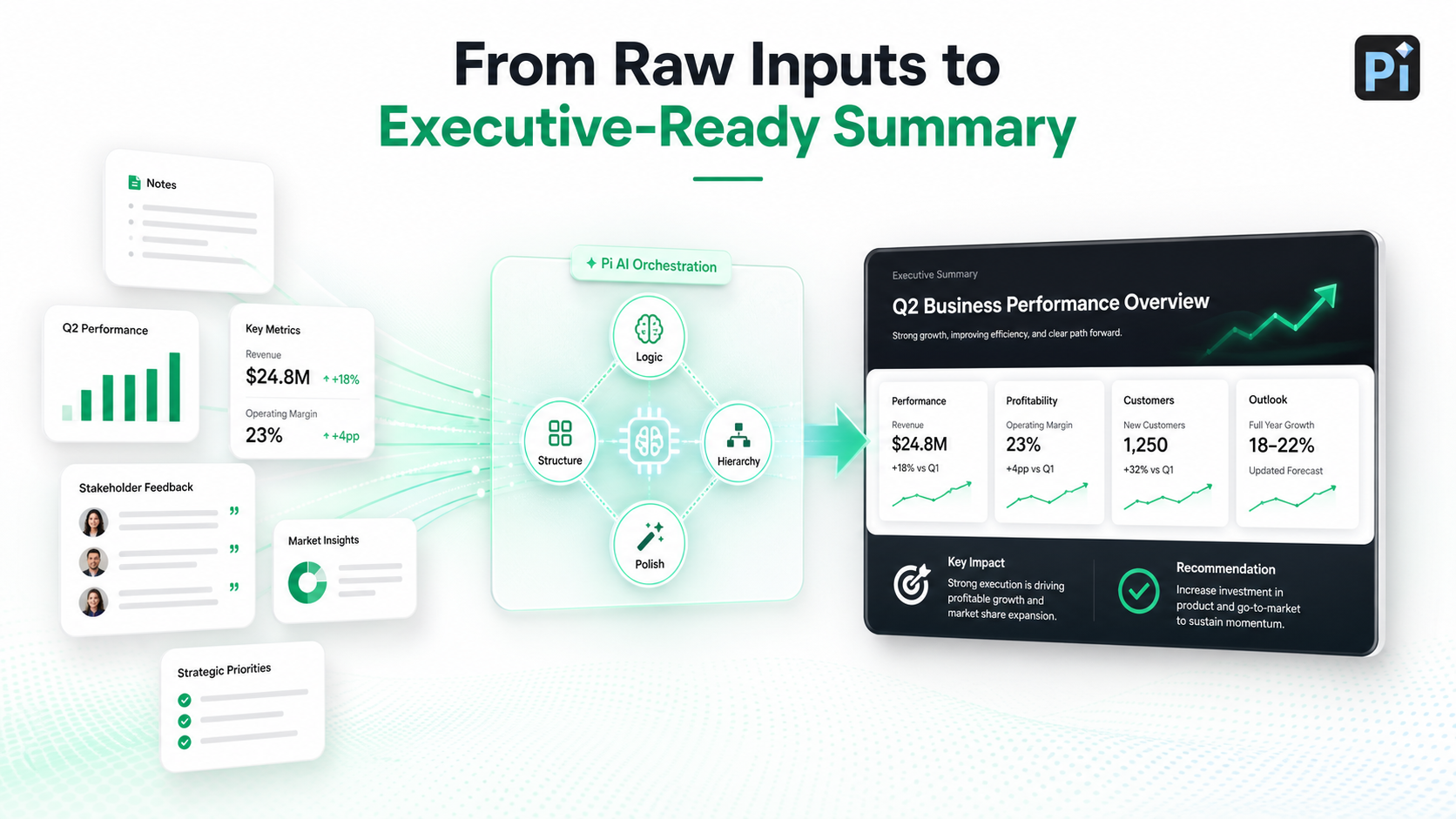
Creating an executive summary slide is difficult because it requires synthesis, structure, and judgment. Teams must turn raw notes, research, metrics, and stakeholder input into a message that feels clear enough for senior decision-makers. Pi, short for Presentation Intelligence, is an AI presentation maker built for this kind of professional presentation workflow.
1. Business Logic Comes Before Slide Styling
Pi helps users move from information to structure by focusing on the business argument first. Instead of only generating decorative slides, Pi supports the process of clarifying the message, organizing the logic, and shaping the presentation around the audience’s decision.
For executive summary slides, this matters because the hardest question is rarely how to make the slide attractive. The harder question is what to emphasize, what to remove, and how to make the recommendation clear.
2. Multi-Agent AI Supports Deeper Presentation Thinking
Pi uses Multi-Agent AI to support different parts of presentation creation, including structure, content, hierarchy, and visual polish. This is useful for executive presentations because the summary must balance strategic clarity with evidence.
A summary that is too brief can feel unsupported. A summary that is too detailed can overwhelm the audience. Pi helps professionals work toward the middle ground: concise, structured, and business-ready.
3. Premium Visual Quality Helps the Message Land
Executive audiences expect slides to look polished and easy to read. Pi supports premium visual quality so the summary does not feel like a dense document pasted onto a slide.
Clear hierarchy, spacing, layout, and visual emphasis help the audience identify the main takeaway quickly. When the visual structure supports the business logic, the slide becomes easier to understand in a high-stakes meeting.
The Verdict on Executive Summary Slides
An executive summary slide should prepare the audience to understand the presentation faster and make a better decision. It should not answer every possible question. It should explain what matters, why it matters, and what should happen next.
The best executive summary slides are concise without being vague, evidence-based without being crowded, and polished without becoming decorative. For teams creating executive presentations, consulting reports, sales decks, or strategy updates, this slide is often the difference between a deck that is merely reviewed and a deck that drives action.
Frequently Asked Questions (FAQ)
Q: What is an executive summary slide?
A: An executive summary slide is a concise presentation slide that summarizes the main message, key evidence, business impact, and recommended next step for an executive audience.
Q: What should an executive summary slide include?
A: It should include a clear takeaway, brief context, the most important supporting evidence, the business implication, and a recommendation or next action.
Q: How long should an executive summary slide be?
A: It should usually fit on one slide and be easy to scan quickly. The goal is not to include every detail, but to highlight the information needed for understanding and decision-making.
Q: Does every business presentation need an executive summary slide?
A: Not every presentation needs one, but it is highly useful for executive presentations, board updates, consulting reports, sales proposals, and any deck where fast alignment matters.
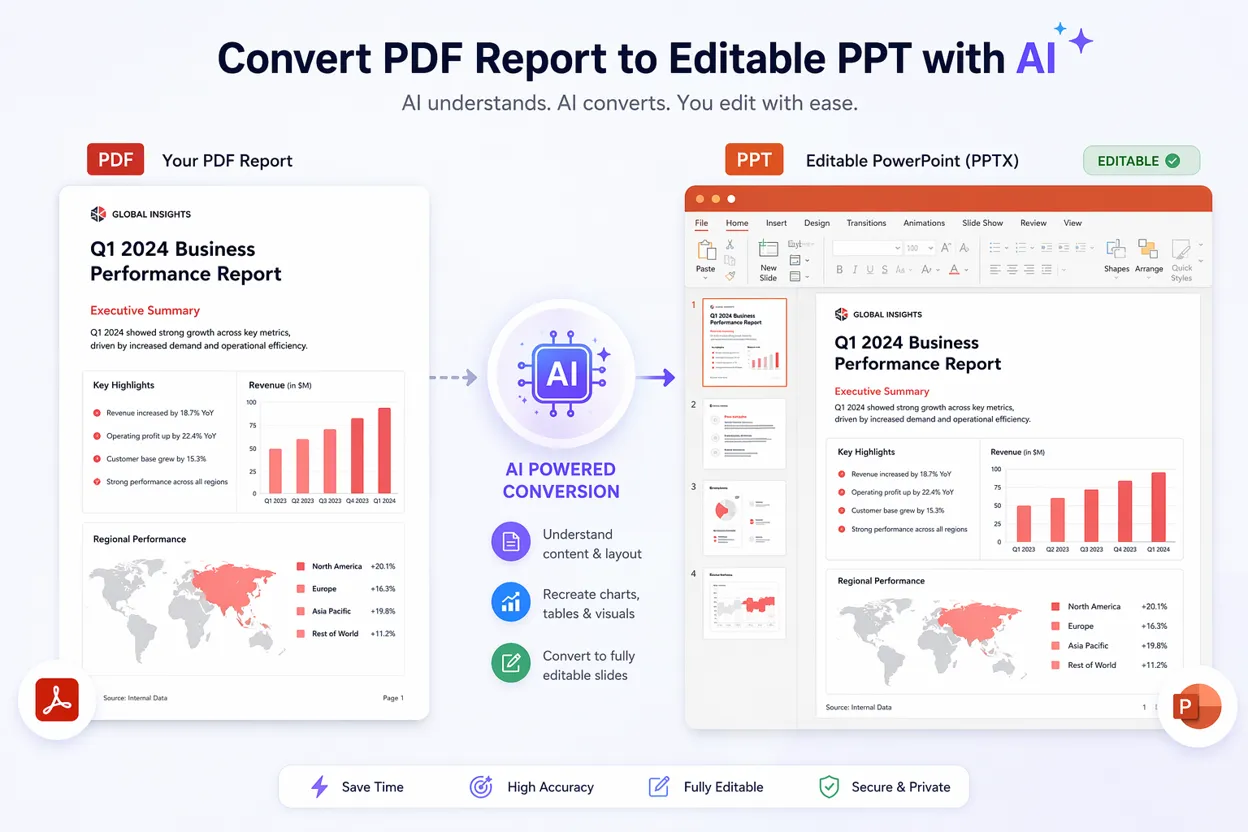 PDF to PPT with AI: Convert Reports into Editable Presentations