How Business Teams Create Presentations Today: Workflow Trends and Insights

Business presentations are no longer simple slide design tasks. For many teams, they are full workflow challenges. Research must be gathered, messages must be structured, visuals must be refined, stakeholders must align, and decisions must be supported in the room.
That is why the modern presentation workflow matters. A deck is often only the visible output of a larger process. Behind a sales deck, executive update, consulting report, pitch deck, market research deck, or product launch presentation, teams manage scattered inputs, unclear priorities, repeated edits, and competing opinions.
The main challenge is not just making slides faster. It is moving from raw information to a clear, persuasive, decision-ready presentation with less friction.
Presentation Work Is Now a Business Workflow
In business settings, presentations function as decision infrastructure. They help teams explain priorities, persuade buyers, summarize findings, align leadership, and secure approval. A deck is rarely just a file; it is a vehicle for discussion, trust, and action.
This is especially true in high-stakes work. A pitch deck must make an opportunity credible. A sales deck must connect pain points to value. A consulting report must turn analysis into recommendations. An executive presentation must help leaders evaluate trade-offs quickly.
Traditional tools remain useful because they offer slide control, formatting, and layout flexibility. But they do not automatically solve the deeper workflow: what the presentation should say, how the argument should unfold, and how each slide should support the business decision.
The Modern Presentation Workflow: From Inputs to Decisions
Most business teams follow a similar presentation workflow, even if they do not formally define it. The process usually starts with the audience, objective, and desired outcome. A deck for an internal strategy review will not follow the same logic as a client proposal or investor pitch.
Next, teams gather source material: meeting notes, spreadsheets, research reports, CRM data, customer feedback, product documents, competitive analysis, and leadership direction. The more complex the project, the more fragmented these inputs become.
Then comes storyline development. Teams decide the main argument, supporting evidence, and order of ideas. This is wherepresentation productivity depends less on design skill and more on synthesis. A strong structure reduces confusion later.
Only after that does slide drafting begin. Teams write headlines, shape slide-level messages, choose charts, organize supporting points, and decide what belongs in the appendix. Design refinement follows, including layout, hierarchy, typography, color, and chart clarity.
The final stages include stakeholder review, editing, approval, and delivery preparation. By then, changes can become expensive. A late messaging shift may affect multiple slides, supporting data, and visual layouts.
Where Business Teams Lose the Most Time
Teams often blame presentation delays on design or formatting. In reality, the biggest losses usually happen earlier in the workflow.
Common bottlenecks include:
- Unclear objectives at the start
- Source material spread across documents, chats, and spreadsheets
- Weak narrative structure that causes repeated rewriting
- Manual formatting repeated across slides
- Conflicting stakeholder feedback
- Late-stage edits that change the logic of the deck
These issues compound. If the objective is vague, the storyline becomes unstable. If the storyline is unstable, slides need more revisions. If revisions happen after design, formatting work must be repeated. The result is a slow workflow, even with modern software.
How AI Is Changing Presentation Productivity
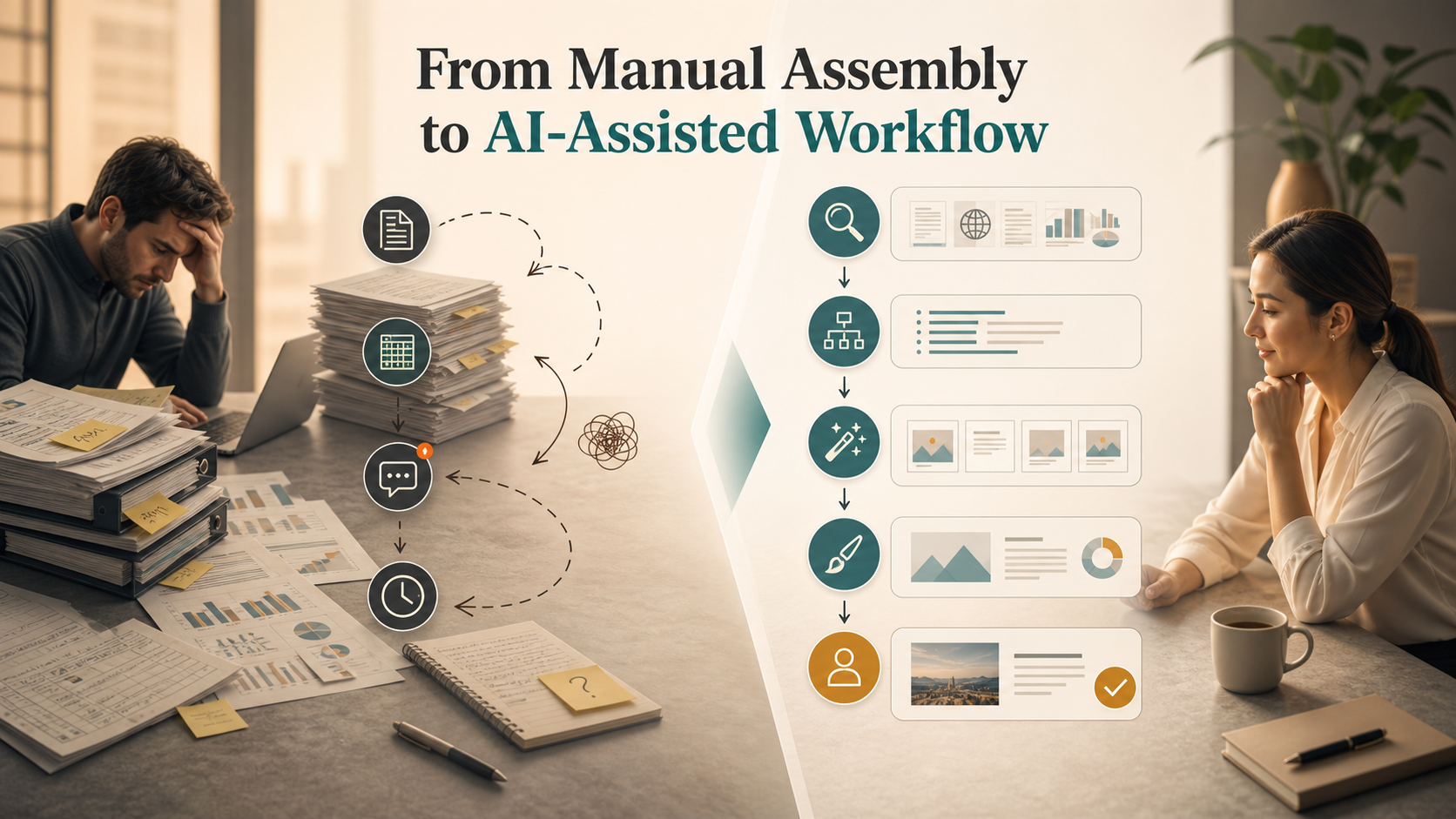
AI is changing business presentations by compressing repetitive and time-consuming stages. It can help synthesize research, create initial outlines, draft slide headlines, rewrite copy, summarize long documents, and suggest more consistent structures.
This does not mean AI removes the need for human judgment. Business presentations still require accuracy, context, positioning, audience awareness, and strategic review. AI can create a useful first draft, but teams must decide whether the argument is sound and whether the deck fits the meeting.
The strongest AI-assisted workflows use AI as a productivity layer, not as a replacement for thinking. AI can reduce the time spent moving from scattered inputs to a structured draft. Human experts then refine the logic, validate the evidence, and adjust the story for the audience.
Traditional Workflow vs AI-Assisted Workflow
| Workflow Area | Traditional Presentation Workflow | AI-Assisted Presentation Workflow |
| Research synthesis | Manual reading and note consolidation | Faster summarization and theme extraction |
| Structure | Built from scratch by the team | AI-generated outline refined by humans |
| Drafting | Slide copy written manually | First-draft headlines and content generated faster |
| Design consistency | Repeated formatting and cleanup | More consistent starting layouts |
| Collaboration | Comments, rewrites, and review cycles | Faster revisions with clearer alternatives |
| Final judgment | Human-owned | Still human-owned |
The real shift is clear: AI improves the middle of the workflow, especially synthesis, structuring, and drafting. It does not eliminate review, approval, or business logic.
Why Business Logic Matters More Than Slide Speed
Fast slide generation is helpful only when the deck has a clear purpose. A presentation that looks polished but lacks a strong argument can still fail in the meeting. The audience may not understand the recommendation, trust the evidence, or know what decision is required.
This is why workflow improvement should look beyond speed. The better question is not, “How quickly can we create slides?” It is, “How quickly can we create a presentation that supports a business outcome?”
Business logic connects the deck from beginning to end. It clarifies the problem, frames audience priorities, presents evidence in the right order, and leads toward a decision. Without that logic, teams may create more slides faster but still spend hours fixing the story.
Where Pi Fits in the New Presentation Workflow
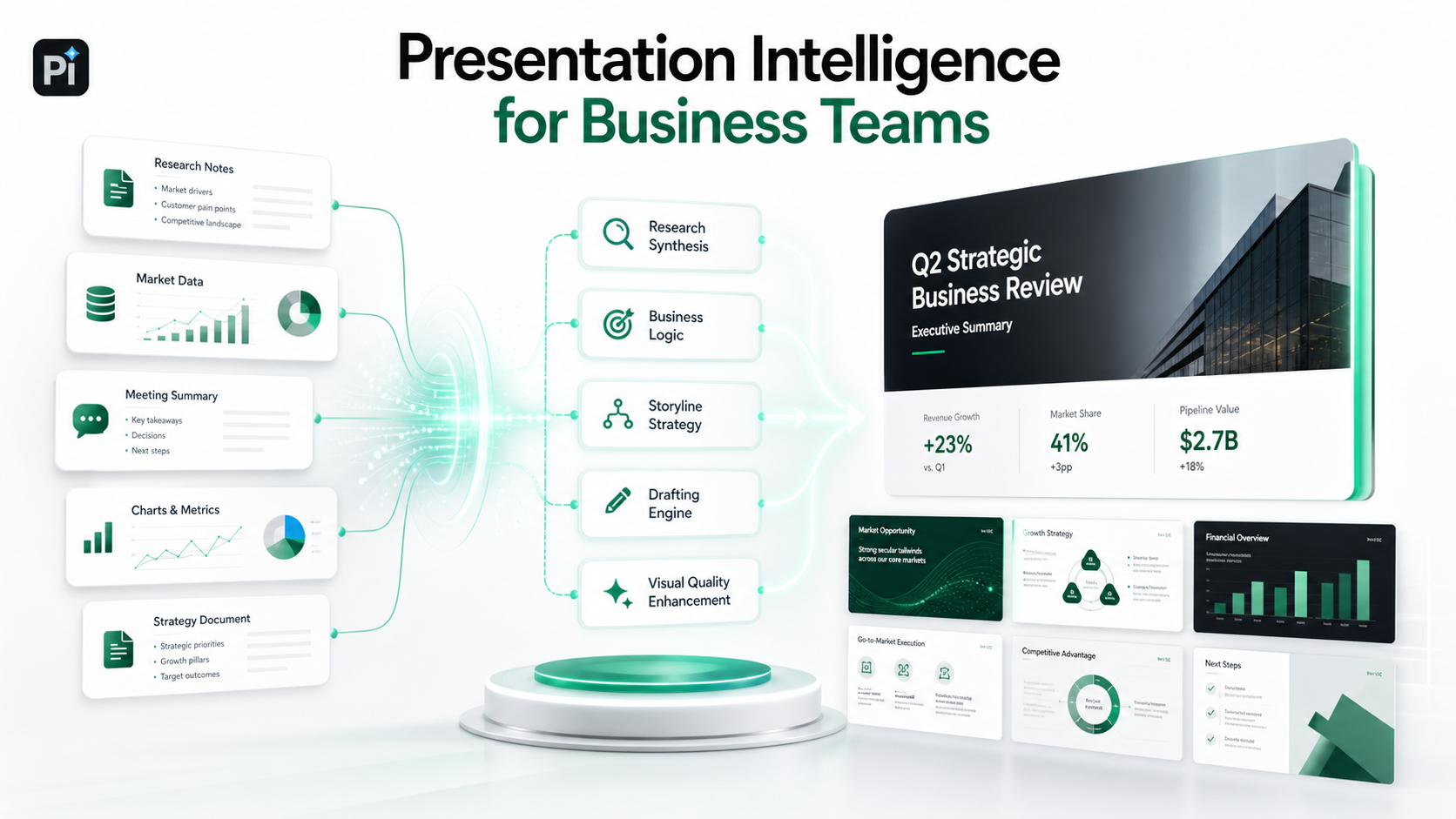
Pi, short for Presentation Intelligence, is an AI presentation maker and AI PPT generator built for professional business presentations. Its role in the modern workflow is not simply to generate slides quickly, but to help teams move from inputs to a more structured, business-ready deck.
Pi is designed around the idea that a professional deck needs a coherent argument. In high-stakes workflows, teams need more than attractive layouts. They need a structure that supports executive reviews, sales conversations, consulting reports, pitch decks, market research decks, and product launch presentations.
1. Business Logic Comes Before Slide Styling
Pi helps teams focus on the decision path before polishing individual slides. This matters because many presentation problems are not visual at first. They come from unclear framing, weak sequencing, or unsupported recommendations.
A stronger workflow starts by clarifying the audience, the core message, and the intended business outcome. From there, the deck can be shaped into a more logical sequence rather than a collection of disconnected slides.
2. Multi-Agent AI Supports Different Presentation Tasks
Pi’s Multi-Agent AI approach reflects how presentation work actually happens. Different parts of the workflow require different capabilities: understanding source material, shaping a storyline, drafting content, improving clarity, and supporting visual quality.
This matters because business teams rarely need a generic slide deck. They need a presentation that reflects context, audience expectations, and professional standards. A market research deck, for example, needs different logic from a sales proposal or board update.
3. Professional Structure and Premium Visual Quality Work Together
A strong presentation needs both substance and form. Pi supports professional structure while also aiming for premium, business-grade aesthetics. That combination is important because stakeholders judge both the clarity of the message and the credibility of the visual execution.
For teams working under deadlines, this can reduce the gap between a rough draft and a deck that feels ready for serious review. The value is not only faster output, but a more reliable path from complex information to polished communication.
What Teams Should Improve in Their Presentation Process
The best presentation workflow starts before slide creation. Teams should define the decision first: what should the audience understand, believe, approve, or do after the meeting? That decision should guide the storyline, slide sequence, and level of detail.
Teams should also organize source material before drafting. AI can help process messy inputs, but better inputs still lead to better outputs. Clear documents, relevant data, and concise context improve both manual and AI-assisted workflows.
Another useful practice is separating structure from styling. Teams should review the logic of the deck before spending too much time on visual polish. If the story changes after design work, productivity drops quickly.
Finally, teams should treat AI as a workflow partner. It can accelerate synthesis and drafting, but expert judgment remains essential for accuracy, nuance, and stakeholder alignment.
The Verdict: Presentation Workflow Is Becoming More Intelligent
The future of presentation workflow is not just faster slide creation. It is a more intelligent process that connects research, strategy, writing, design, collaboration, and business outcomes.
As AI becomes more integrated into presentation productivity, teams will spend less time on repetitive assembly and more time on judgment: choosing the right argument, adapting to the audience, and preparing for the decision.
For modern business presentations, the key trend is clear. Teams are moving away from building slides one by one and toward creating decision-ready communication from complex information. Pi fits this shift by focusing on business logic, professional structure, Multi-Agent AI, and premium visual quality for high-stakes presentation work.
Frequently Asked Questions (FAQ)
Q: What is a presentation workflow?
A: A presentation workflow is the full process of creating a deck, from defining the objective and gathering inputs to structuring the story, drafting slides, reviewing with stakeholders, editing, and preparing for delivery.
Q: How can teams improve presentation productivity?
A: Teams can improve presentation productivity by clarifying the decision early, organizing source material, separating structure from design, reviewing logic before formatting, and using AI to accelerate repetitive work.
Q: How is AI changing business presentations?
A: AI helps teams synthesize research, generate outlines, draft slide content, refine wording, and improve consistency. It speeds up parts of the workflow, but human judgment is still needed for strategy, accuracy, and audience fit.
Q: Can AI create professional business decks?
A: Yes. AI can help create professional business decks when it is guided by clear inputs and reviewed by experts. Tools like Pi are especially useful when teams need business-ready structure, strong presentation logic, and polished visual quality.
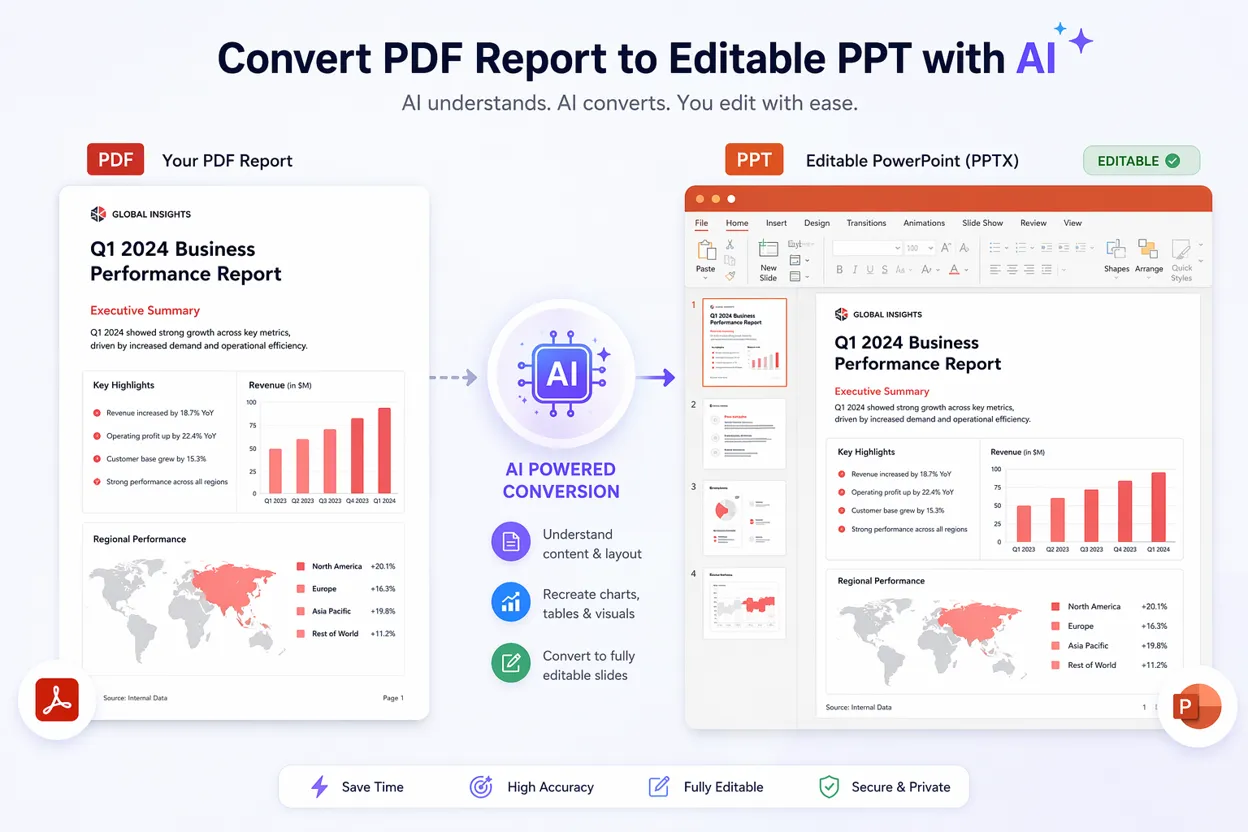 PDF to PPT with AI: Convert Reports into Editable Presentations