AI Prompts for Quarterly Business Reviews
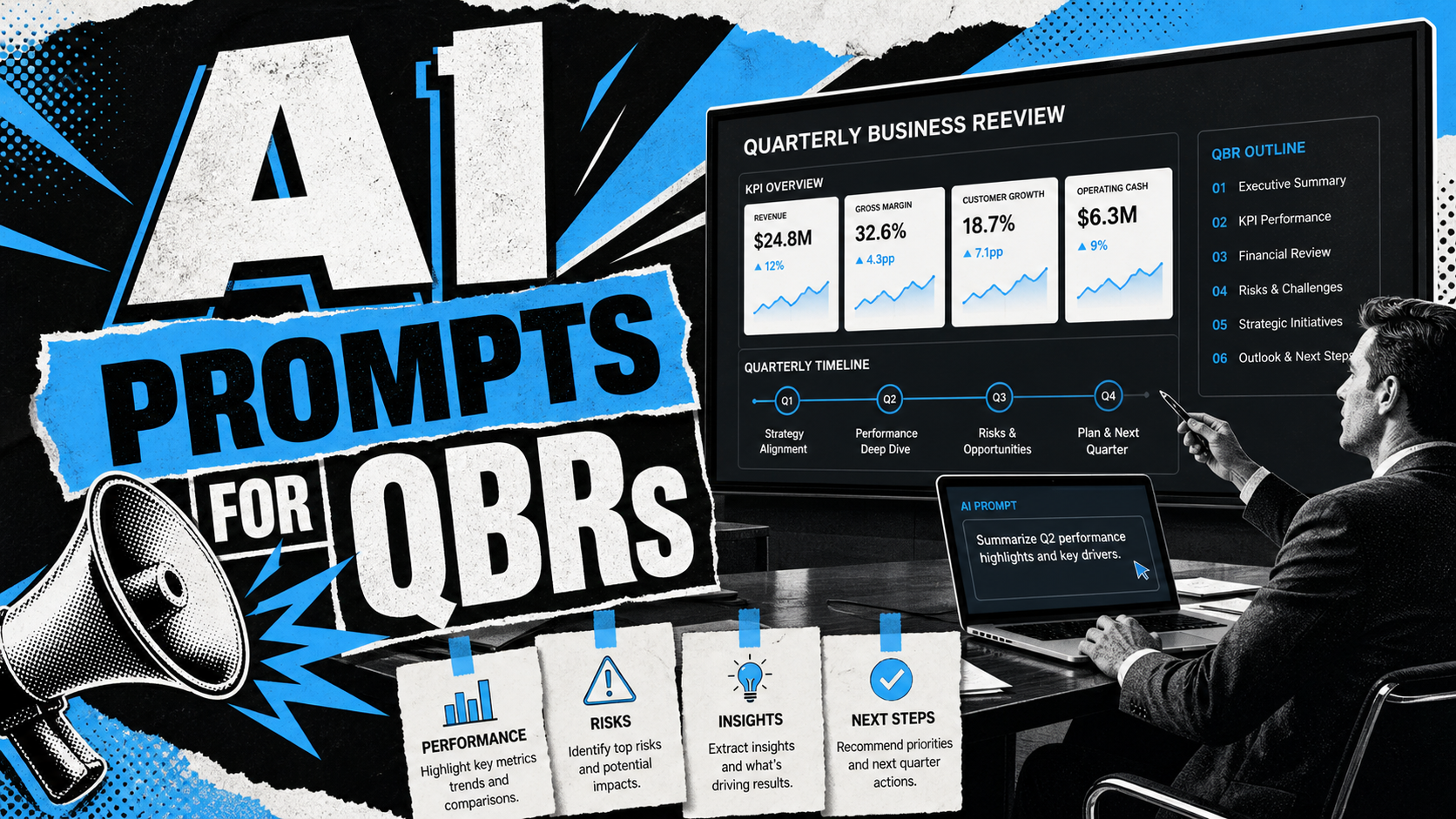
Quarterly business reviews matter because they force a team to step back from daily execution and explain performance in a structured way. Yet many QBR decks become messy collections of metrics, updates, screenshots, customer quotes, and unfinished thoughts. The result is a QBR presentation that is technically complete but difficult for executives to interpret.
AI prompts can help, but only when they are specific. A vague prompt such as “make a QBR deck” usually produces generic business review slides. A stronger quarterly business review prompt tells AI what data to use, what audience to address, what decisions the meeting should support, and what level of detail belongs on each slide.
The goal is not to let AI invent a business story. The goal is to use AI prompts to organize real inputs into a clearer narrative: what happened, why it happened, what it means, and what the team should do next.
What Makes a Strong QBR Presentation?
A strong QBR presentation is not just a recap of activity. It connects performance to business judgment. Executives do not need every detail from the quarter; they need the few facts that explain momentum, risk, and required action.
A useful QBR usually includes a concise performance summary, a clear interpretation of KPI movement, an honest discussion of risks, strategic insight from customer or market signals, and concrete next steps. The best business review slides make the audience feel oriented quickly. They show whether the team is on track, where the plan changed, and which decisions require leadership attention.
The main boundary is simple: AI can help structure and phrase the review, but it should not replace business judgment. Before presenting, the team must verify numbers, clarify assumptions, and remove any claim that is not supported by real data.
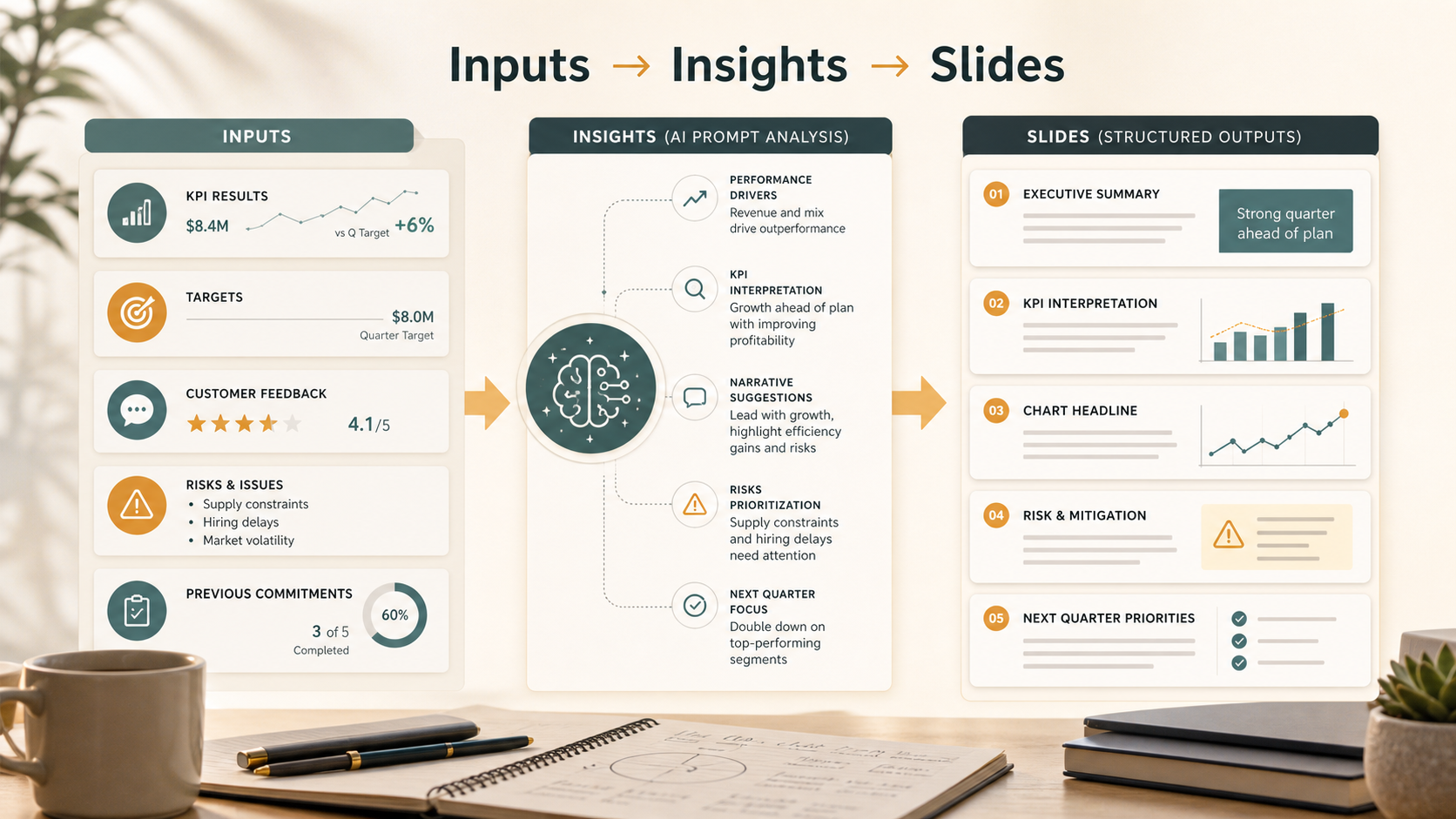
Before You Prompt: Gather the Right QBR Inputs
AI prompts work best when they receive specific inputs. Before asking AI to create a QBR presentation, gather the materials that define the quarter. This may include revenue performance, pipeline metrics, customer feedback, product updates, marketing results, operational blockers, hiring progress, budget changes, and previous-quarter commitments.
It also helps to define the audience. A QBR for a board, executive team, customer account, or internal department will require different framing. The same metric can tell a different story depending on who is reading it and what decisions they need to make.
Prepare these inputs before prompting:
- Actual KPI results versus target
- Previous-quarter goals and commitments
- Major wins, misses, risks, and blockers
- Customer, sales, product, or operational signals
- Decisions or resources needed from leadership
When the inputs are clear, AI prompts become more useful because they are grounded in evidence rather than general business language.
AI Prompts for QBR Performance Summaries
The opening of a QBR presentation should establish the quarter’s story quickly. It should not be a long status update. It should give the audience a balanced view of performance, momentum, and concern areas.
Use this prompt when you need an executive-ready opening narrative:
“Act as a business strategy lead preparing a QBR presentation for [audience]. Based on the following quarterly results, write a concise performance summary in 5-7 sentences. Explain what happened, why it matters, the biggest win, the most important miss, and the main implication for next quarter. Do not invent data. Use only the inputs provided: [paste data].”
For a sharper slide headline, use:
“Turn this quarterly performance summary into three possible executive slide headlines. Each headline should state the business implication, not just describe the topic. Keep each headline under 14 words.”
For missed targets, use:
“Analyze the following missed QBR targets. Separate likely root causes from symptoms, explain business impact, and suggest a neutral way to present the issue to executives without hiding underperformance.”
These AI prompts help the opening slide move beyond “Q3 Results” and toward a real business narrative.
AI Prompts for KPI Analysis and Business Review Slides
Many QBR slides fail because they list KPIs without explaining meaning. A KPI is only useful when the audience understands whether the movement is positive, negative, expected, temporary, or strategically important.
Use this prompt for KPI interpretation:
“Review the following KPI table for a quarterly business review. For each KPI, explain the movement versus target, likely business implication, and whether it should be highlighted as a win, watch item, or risk. Keep the tone executive-ready and avoid unsupported claims.”
For creating business review slides, use:
“Convert this KPI analysis into a slide outline with one main headline, three supporting points, and one recommended visual. The slide should help an executive understand the business meaning of the numbers in less than one minute.”
For prioritization, use:
“Identify the three most important KPIs to feature in a QBR presentation for [audience]. Explain why each metric deserves attention and which lower-priority metrics can move to the appendix.”
This approach keeps the deck focused. Instead of forcing every metric into the main story, AI helps separate signal from background detail.
AI Prompts for Charts, Trends, and Data Storytelling
Charts in QBR decks should clarify patterns, not decorate the slide. Before choosing a chart type, define the message the chart must support. Are you showing trend, comparison, mix, contribution, or progress toward target?
Use this prompt:
“Given the following quarterly data, recommend the best chart type for each metric. Explain whether the data should be shown as a trend line, bar chart, stacked bar, waterfall, table, or KPI card. For each recommendation, write a chart headline that states the insight.”
For trend analysis, use:
“Analyze this quarterly trend data. Identify the main pattern, any unusual movement, possible explanations, and what additional context is needed before making a conclusion. Do not overstate causality.”
For chart headlines, use:
“Rewrite these chart titles as insight-led QBR headlines. Each headline should explain the takeaway, not simply label the chart.”
These prompts are especially useful when business review slides contain too much data. AI can help translate numbers into readable visual logic, while the team remains responsible for validating accuracy.
AI Prompts for Risks, Blockers, and Lessons Learned
A good QBR does not hide risk. It frames risk constructively. Executives usually respond better when the team explains the root cause, business impact, mitigation plan, and owner.
Use this prompt:
“Create a QBR risk slide from the following blockers. For each risk, summarize the root cause, business impact, mitigation plan, owner, and timing. Use a direct but constructive executive tone.”
For lessons learned, use:
“Based on these wins and misses, identify the top lessons learned this quarter. Separate operational lessons from strategic lessons. Explain how each lesson should change next-quarter planning.”
For sensitive issues, use:
“Rewrite this risk explanation so it is honest, specific, and professional. Avoid blame, vague language, and overly positive framing.”
These AI prompts make risk slides more useful because they connect the problem to action.
AI Prompts for Next Steps and Executive Recommendations
The final section of a QBR presentation should make the next quarter easier to decide. It should translate insight into priorities, action plans, resource asks, and decision points.
Use this prompt:
“Based on the QBR insights below, recommend the top three priorities for next quarter. For each priority, include rationale, expected business impact, required resources, owner, and success metric.”
For leadership decisions, use:
“Turn these QBR findings into executive decision points. For each decision, explain the options, trade-offs, recommended path, and what happens if no decision is made.”
For a closing slide, use:
“Write a concise QBR closing slide that summarizes performance, key risks, next-quarter priorities, and leadership asks. Keep it direct, business-focused, and suitable for an executive audience.”
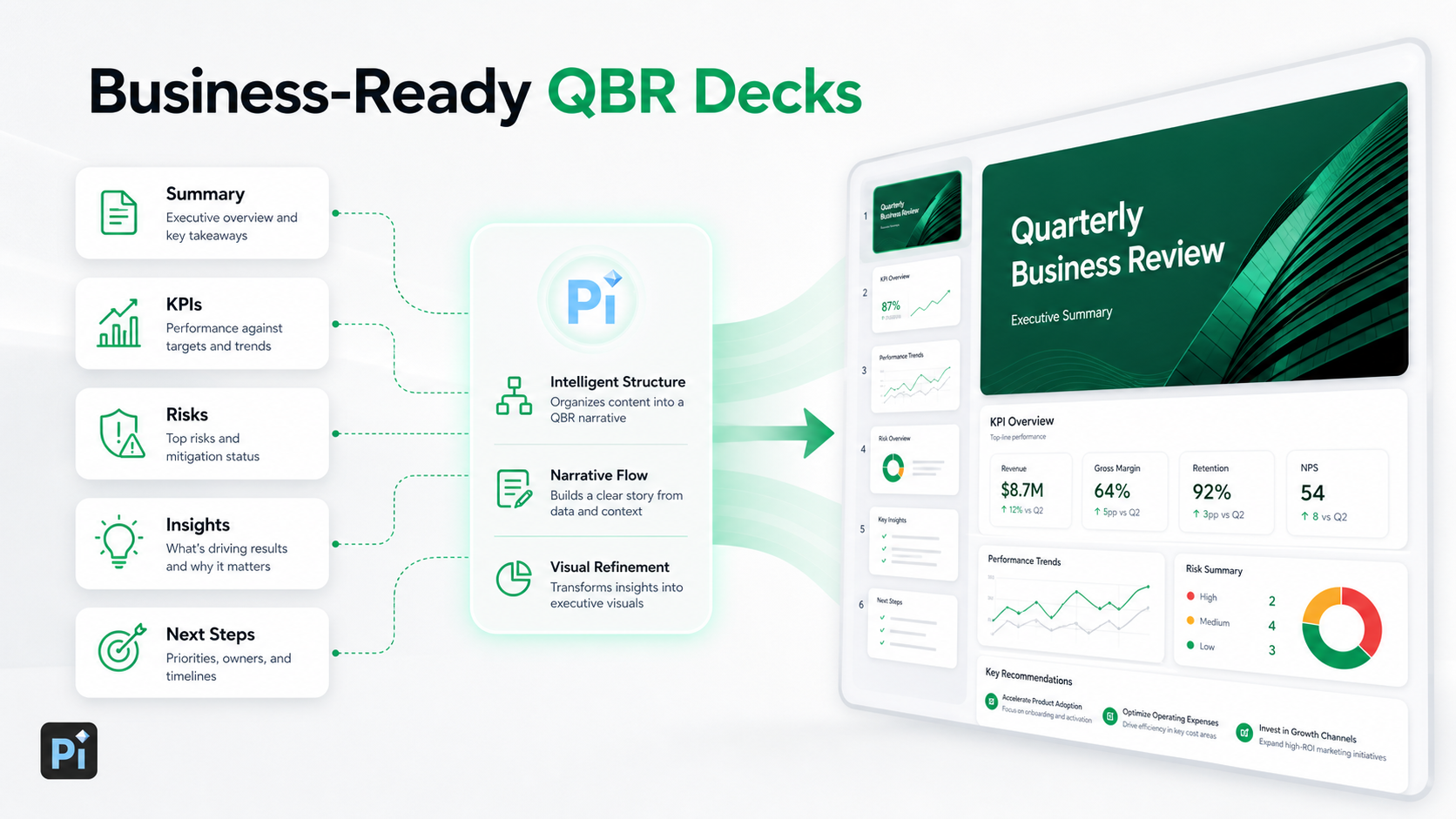
Turning QBR Prompts into a Business-Ready Presentation with Pi
After the prompt work is complete, the next challenge is turning structured content into a polished QBR presentation. Pi, short for Presentation Intelligence, is an AI presentation maker built for professional business workflows where structure, logic, and visual quality matter.
1. Business Logic Comes Before Slide Styling
Pi helps teams move from raw prompt outputs into a coherent presentation flow. For a QBR, that means organizing the deck around performance, insight, risk, and action rather than simply generating slides from text.
2. Multi-Agent AI Supports Deeper Review
Pi’s Multi-Agent AI approach is designed to support different parts of the presentation process, from structure to narrative to visual refinement. This is useful when a QBR needs to feel more executive-ready than a basic text-to-slide draft.
3. Premium Visual Quality Helps the Message Land
QBR decks often contain dense information. Pi helps shape that information into professional layouts, clear hierarchy, and business-grade aesthetics, so charts, KPI slides, and recommendations are easier to read and discuss.
Pi does not remove the need for accurate data or leadership judgment. It helps convert a stronger quarterly business review prompt workflow into a deck that is easier to present.
QBR Prompt Framework: What to Use for Each Slide
| QBR Slide Need | Prompt Goal | Expected Output |
| Executive summary | Define the quarter’s main story | Concise performance narrative |
| KPI review | Interpret metric movement | Business implications and priorities |
| Chart slide | Match data to visual format | Chart type and insight headline |
| Risk review | Connect issues to action | Root cause, impact, mitigation |
| Next steps | Turn insight into execution | Priorities, owners, success metrics |
This framework keeps each prompt tied to a slide purpose. That is important because QBR decks become stronger when every slide has a clear job.
Final Checklist for Better AI-Generated QBR Slides
Before presenting AI-generated business review slides, review the deck carefully. Confirm that every number matches the source data. Check that AI has not added unsupported explanations or exaggerated causality. Replace generic claims with specific business evidence.
Strengthen the headlines so they communicate insight, not just topics. “Pipeline conversion declined due to late-stage slippage” is more useful than “Pipeline Update.” Make sure risks are specific, recommendations have owners, and every resource ask has a business rationale.
Finally, remove slides that do not support the main QBR story. A shorter, clearer QBR presentation is usually more persuasive than a long deck filled with disconnected updates.
Frequently Asked Questions (FAQ)
Q: What should I include in a QBR presentation? A: A strong QBR presentation should include an executive summary, KPI performance, major wins and misses, customer or market insights, risks and blockers, lessons learned, next-quarter priorities, and leadership decision points.
Q: How do I make AI-generated business review slides more specific? A: Give AI real inputs, including actual KPI results, targets, audience context, previous-quarter goals, and known blockers. Ask for business implications, not just summaries. Always verify the output before presenting.
Q: Can AI create QBR charts? A: AI can recommend chart types, write chart headlines, and help explain trends. However, teams should validate the data, check assumptions, and make sure the chart supports the business message accurately.
Q: How does Pi help with QBR presentation creation? A: Pi helps turn structured QBR prompts into a professional presentation with business-ready structure, clearer logic, and premium visual quality. It is useful when teams need an executive-ready deck rather than a generic slide draft.