The Hidden Cost of Poor Presentations: Research on Time, Meetings, and Productivity

Poor presentations are often treated as a design problem: crowded slides, inconsistent fonts, too many bullets, or weak layouts. But presentation research points to a larger operational cost. When a deck fails to clarify the situation, structure the argument, or guide a decision, it creates lost meeting time, repeated explanation, slower alignment, and lower workplace productivity.
In modern organizations, business presentations are not just communication assets. They are part of how teams think, decide, and coordinate. They shape executive reviews, sales conversations, consulting recommendations, market research updates, product launches, and investor pitches. When the deck is unclear, the work around it becomes unclear too.
Why Poor Presentations Cost More Than Teams Realize
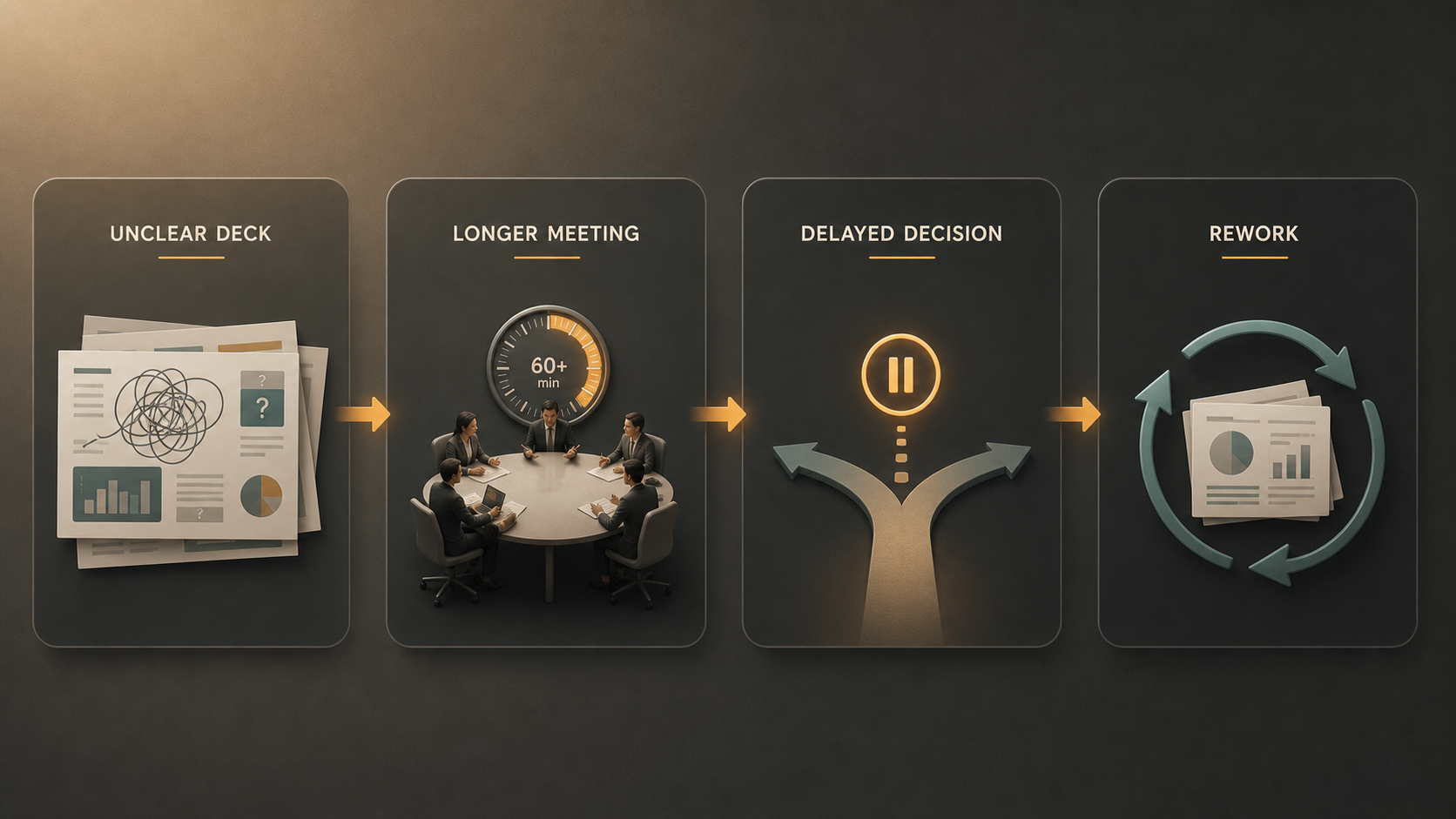
The cost of a weak deck rarely appears as a direct budget line. It shows up as longer meetings, confused follow-ups, rewritten slides, and decisions that move to the next review instead of closing in the current one.
Poor presentations create hidden productivity loss in several ways:
- Meetings run longer because the audience must reconstruct the logic.
- Stakeholders debate basic context instead of evaluating options.
- Teams repeat explanations across email, chat, and follow-up calls.
- Decisions are delayed because the recommendation is unclear.
- Decks go through extra revision cycles before they are usable.
This matters because presentations sit between communication and execution. A confusing deck does not stay inside the meeting room. It affects priorities, resources, confidence, and the speed of business decisions.
The Meeting Cost of Unclear Presentations
Meetings are expensive because they combine the attention of multiple people, often including senior stakeholders. A 30-minute meeting with ten employees equals five hours of collective attention. If the presentation does not make the purpose, context, and decision path clear, that attention is spent interpreting instead of progressing.
Unclear presentations often begin with too much background, too little framing, or slides that show information without explaining why it matters. The audience then has to ask questions the deck should have answered: What problem are we solving? What changed? Which option is recommended? What decision is needed today?
The value of a deck is not only in the information it contains, but in how efficiently it helps people process that information. A strong structure reduces ambiguity and shortens discussion. A weak one extends discussion because every slide introduces new uncertainty.
The Decision-Making Cost of Weak Presentation Logic
Business presentations should function as decision infrastructure. They organize evidence, define trade-offs, and guide stakeholders toward a clear next step. When the logic is weak, decision-making slows down even if the slides look polished.
Common problems include missing context, overloaded slides, unclear recommendations, and narrative flow that jumps from data to data without explaining the implication. Executives and cross-functional leaders usually do not need more information for its own sake. They need the right information, in the right order, connected to the decision in front of them.
A strong presentation answers three questions quickly: What is happening? Why does it matter? What should we do next? If the deck cannot answer those questions, the meeting becomes a live restructuring exercise. Stakeholders debate the framing, ask for more analysis, or request another version before they can decide.
The Rework Cost Behind Business Presentations
The visible meeting is only part of the cost. Much of the productivity loss happens before and after the meeting, when teams rewrite, restructure, redesign, and re-explain the same material.
A deck may begin as notes, documents, spreadsheets, research findings, customer quotes, and stakeholder inputs. Turning that raw material into a coherent business presentation requires synthesis. If the initial structure is weak, every later step becomes harder. Headlines need rewriting. Charts need reframing. Design may change because the story changed. Reviewers may give conflicting feedback because the presentation has no clear center of gravity.
The problem is not that teams lack effort. It is that many workflows separate content thinking from slide production. People start building slides before the argument is stable, then spend hours repairing the structure later.
What High-Productivity Presentations Do Differently
High-productivity presentations are not necessarily shorter, prettier, or more animated. They are easier to understand and easier to act on. Their value comes from reducing cognitive load for the audience and revision load for the team.
Effective presentations usually begin with a clear audience goal, not a generic topic. They follow a storyline that connects context, evidence, implication, and action. They use slide headlines to state messages, not just label sections. They separate primary evidence from supporting detail. They maintain visual consistency so the audience can focus on meaning instead of formatting.
Most importantly, they make the expected outcome explicit. A presentation designed to inform should help the audience remember the right points. A presentation designed to decide should make the decision path visible. A presentation designed to persuade should connect audience priorities to a credible recommendation.
Presentation Productivity: Manual Workflow vs AI-Supported Workflow
Improving presentation productivity is not about removing human judgment. It is about reducing repetitive effort and helping teams reach a stronger first draft faster. Traditional workflows provide flexibility, but they often depend on manual synthesis, manual formatting, and repeated stakeholder edits. An AI-supported workflow can help teams move from scattered inputs to a clearer presentation structure.
| Presentation Research Focus | Traditional Manual Workflow | Pi-Supported Workflow |
| Argument structure | Built manually from notes | AI helps organize business logic |
| Source synthesis | Requires manual extraction | Multi-Agent AI supports synthesis |
| First draft creation | Slides often start from scratch | Drafts can start from prompts or documents |
| Visual consistency | Depends on manual formatting | Premium layouts support polish |
| Revision support | Changes trigger rework | AI helps refine structure and flow |
The strongest workflows still include human review. Teams must judge whether the recommendation is sound, whether the evidence is credible, and whether the message fits the audience. But AI can reduce the mechanical burden that often keeps teams from focusing on higher-value decisions.
How Pi Helps Reduce the Cost of Poor Presentations
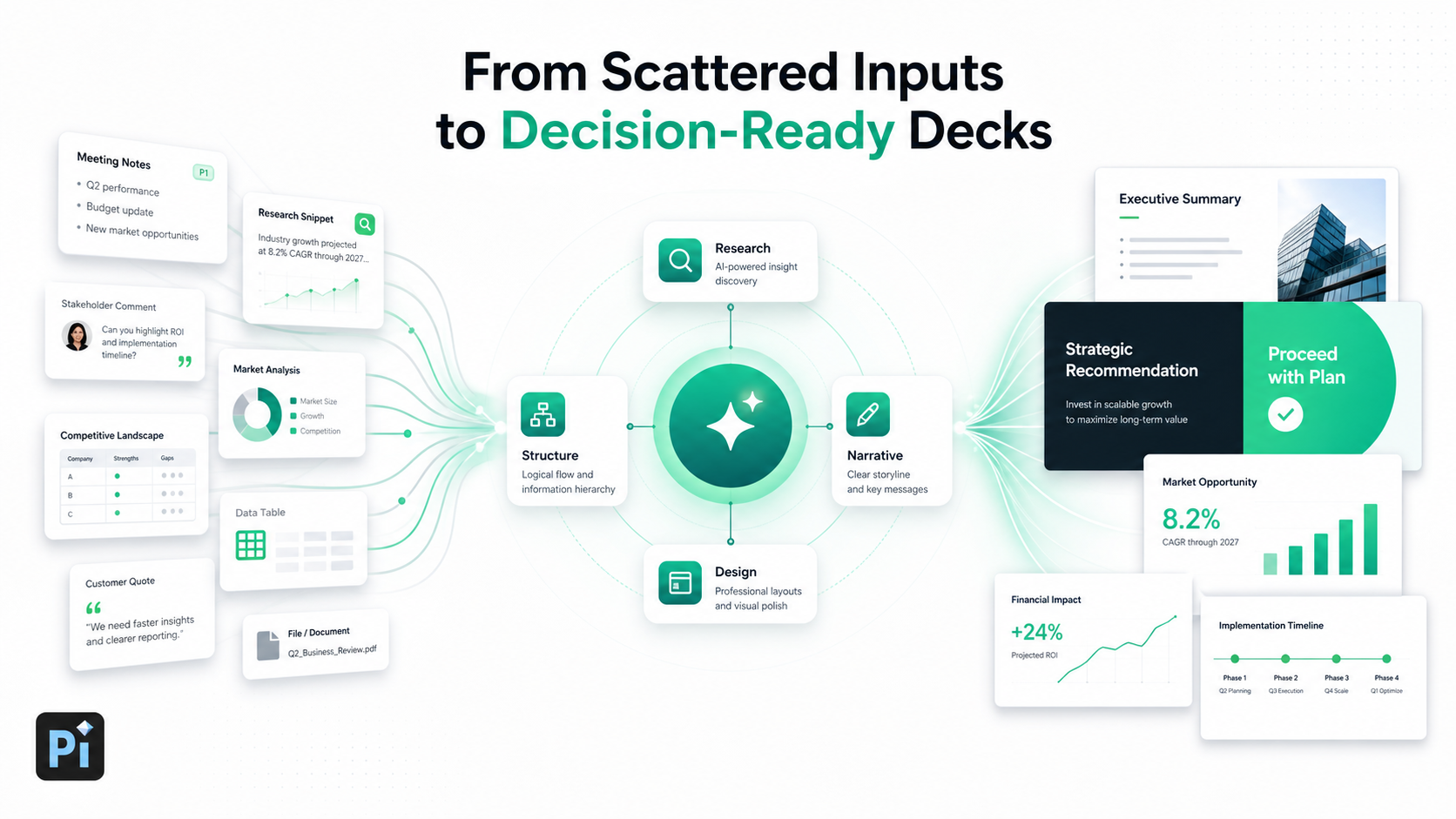
Pi, short for Presentation Intelligence, is an AI presentation maker built for professional business presentations. Its value is not simply faster slide generation. Pi supports the deeper workflow behind high-stakes decks: organizing business logic, synthesizing information, shaping a clear narrative, and producing slides with business-grade aesthetics.
1. Business Logic Comes Before Slide Styling
Many presentation problems begin before design. If the argument is unclear, better visuals will not fix the meeting. Pi helps teams focus on the structure first: the audience, the goal, the storyline, the evidence, and the intended action.
This is especially important for executive presentations, consulting reports, sales decks, market research decks, and pitch decks. In these situations, a presentation is a decision tool. Pi helps create decks organized around what the audience needs to understand, not just what the presenter wants to include.
2. Multi-Agent AI Supports Structure and Synthesis
Professional presentations often require several types of thinking at once: researcher, strategist, writer, editor, and designer. Pi uses Multi-Agent AI to support these layers of presentation work.
That can include interpreting source material, identifying important points, shaping a narrative, improving slide headlines, and refining the flow. The goal is not to replace expertise. It is to give professionals a stronger starting point so they spend less time assembling basic structure and more time improving the business argument.
3. Premium Visual Quality Reduces Friction
Visual quality affects workplace productivity because inconsistent slides create friction. If layouts feel uneven, charts are hard to read, or visual hierarchy is unclear, the audience has to work harder. Reviewers may also comment on formatting instead of substance.
Pi supports premium, business-grade aesthetics so presentations feel polished and consistent. This helps teams avoid the gap between “the content is there” and “the deck is ready to present.”
4. Built for High-Stakes Workflows
Some presentations can be informal. Others carry business consequences. A board update, investor pitch, strategic recommendation, or enterprise sales deck needs clarity, credibility, and a structure that can withstand questions.
Pi is useful when teams need to turn complex inputs into a decision-ready deck without losing control over the message. It supports workflows where quality, speed, and business logic all matter.
The Verdict: Better Presentations Are a Productivity System
Teams can reduce presentation-related waste by applying a simple standard before presenting. The goal is to check whether the deck is ready to support productive discussion, not just whether the slides are complete.
Before a meeting, ask: What decision is needed? What evidence matters most? What should the audience remember? What action should happen next?
If those answers are unclear, the deck is likely to create more discussion than progress. If they are clear, the presentation becomes a productivity asset. Improving presentation quality is not cosmetic work. It is an investment in better meetings, faster decisions, and stronger workplace productivity.
Frequently Asked Questions (FAQ)
Q: What does presentation research reveal about productivity?
A: Presentation research shows that unclear decks can increase meeting time, slow decision-making, and create extra rework. The cost is not just poor design; it is the operational waste created when teams cannot quickly understand the message or next step.
Q: Why do poor presentations hurt workplace productivity?
A: Poor presentations force audiences to interpret unclear information, ask basic context questions, and delay decisions. They also create extra work before and after meetings because teams must rewrite, redesign, and re-explain the same ideas.
Q: How can AI improve business presentations?
A: AI can help organize ideas, synthesize source material, create first drafts, improve slide headlines, and support visual consistency. Human judgment is still essential for strategy, evidence quality, and final recommendations.
Q: When is Pi useful for professional teams?
A: Pi is useful when teams need business-ready presentations for high-stakes workflows such as executive presentations, consulting reports, sales decks, market research decks, pitch decks, and strategic proposals. It helps teams move from scattered information to clearer, more polished decks.